
Slides to DVD Or Any Digital Format
Slides To Digital | Slides to Hard Drive.
D.I.Y
Slide Scanning - Do It Yourself
We found the following slide scanners to help you save the cost of scanning. If the DO IT YOURSELF method doesn't work for any reason, contact us we are here to help.
LAB
Let Us Do IT For You
If you don't have time and/or don't want to learn technology, bring/mail your work to us. We will send you an estimate. Our minimum for any work is $250.00.
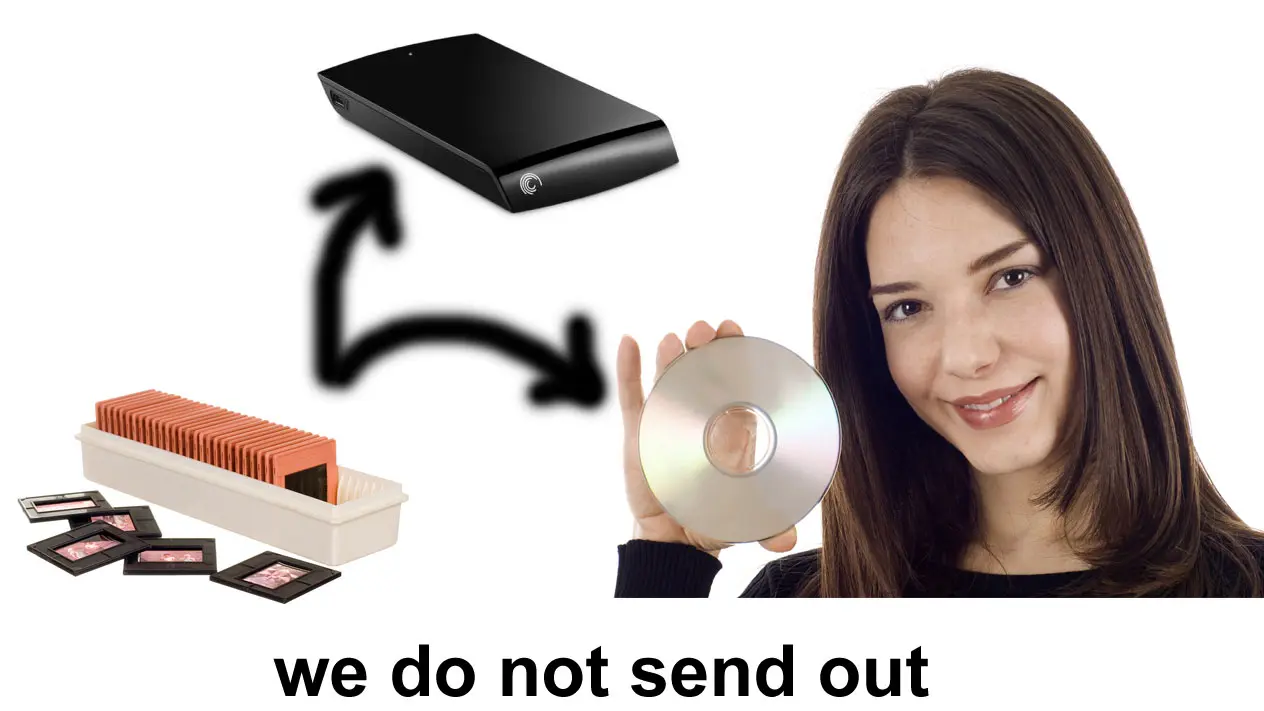
Other Slide Services
- 110/127 Slide Scanning
- 126 Negative and Slides
- 35mm Negative
- 4x5 Large Formats
- 110/220 Medium Format
- Stereo Slide Scanning
- Photograph Scanning
What is DPI
- It stands for dot/inch.
- Higher DPI means more quality scan.
- Scanner takes more time to scan at a higher DPI.
- Higher DPI means a bigger image size.
- 2000 DPI is good for many users.
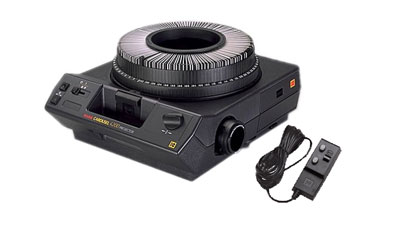
35mm Slide Projector Rental – $50.00/Day
- Slides are loaded in the carousal.
- Then carousal is placed right above the projector.
- Power is turned on.
- As soon as first slide is advanced, it is shown on the screen.
- Focus is adjusted by rotating the “focus knob”.
- For convenience it comes with a remote control.

35mm slide projector
All Work Done In-House
✓ Scanning - Same Place
✓ Technician - Same Place
✓ No Middleman.
✓ Fast Turnaround.
✓ No Risk To Lose.
✓ Lowest Price - Guaranteed
✓ Technician - Same Place
✓ No Middleman.
✓ Fast Turnaround.
✓ No Risk To Lose.
✓ Lowest Price - Guaranteed
We accept any slide format
- the price chart only shows the price for a plastic/cardboard mounted slides.
- Glass Slides are extra as they have to be scanned manually one by one.
- You can bring the slides in a carousals/boxes/cartridges/sheets/binders but it will add-up $0.20/slide to take them out.
- It takes $0.20/slide to put them back in a carousal.
- We also scan large format slides.
- Normally, we scan slides at 2000dpi and as jpeg. Per slide is $0.49 for less than 100
- Our minimum: $95.00
- Fully Color corrected, properly cropped and free of dust particles slides on a DVD.
- If you decide to go with the slide show, it will add up $50.00 exta for upto 100 slides with a music
- We put chapter mark at every group of slides.
- We can customize your DVD label with your info. for an extra cost
There is no limitation or restriction of any kind. We can handle any type of slide.
We can scan any type if slide
You can drop off at any of these two locations.
In Maryland
2333 Distribution Circle
Silver Spring MD 20910
In Virginia
6869 springfield Blvd.
Springfield, VA 22150
For orders over $500.00 or more, we will pickup your slides for free.
We take the instructions at the time of the pickup.
We deliver them back once the project is completed.
Do you have large number of slides?
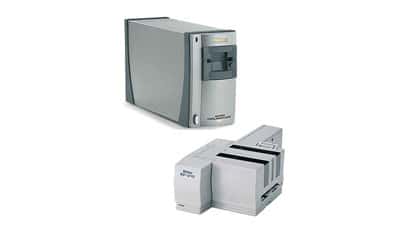
We provide a tutorial on how to scan slides yourself if you rent this scanner from us.
Scan on a PC or MAC as a tiff or Jpeg
Comes with installation disc.
Scan upto 4000dpi
Call For More Details
Pricing Table
The Price Minimum Order=$95.00
Simple Math:
You have:1000 slides
You Need: 2000 dpi scanning +Slide Show DVD
Your Cost: [1000x0.42] + [25.00]=$445.00
Optional Service
($0.00/Slide) | ($0.10/Slide) | ($0.20/Slide) |
|
|---|---|---|---|
| Slide Rotation | N | Y | Y |
| ICE Pro (Scratch, Dust) | Y | Y | Y |
| Contrast Adjustment | N | Auto | Y |
| Color Correction | N | Auto | Y |
| Brightness | N | Auto | Y |
| Photoshop Adjustment | N | Auto | Y |
| Grain Minimization | N | N | Y |
| Slide Show Optimization | N | N | Y |
| Music | Only with Slide Show | Only with Slide Show | Only with Slide Show |
Slides Delivery
Once your slides are scanned and polished, there are several ways in which they can be stored.
- We can simply write them to a CD/DVD/thumb drive as individual picture files,
- Or we can create a slide show from these digital pictures ($10.00/100 slides).
Types of Slides We Process:
Slide Scanning Process
Step 1 - Select Resolution
Decide which resolution you want to scan these slides. Higher number means better resolution 4000di>3000>2000
Step 2 - Amount of Slides
Calculate how many slides do you have. Our minimum charge for any number of slides is $15.00
Step 3
Call Us 703 644 1660 and we will send you an estimate. Or Contact us at info@mistervideo.net
Compare

| 
|

| 
|
| 
|
| 
|
| 
|
Why Choose Us
 This Is All What We Do
 This Is All What We Do
We are doing slide scanning since 1996. And we are good at it.
In House Processing.
 In House Processing.
All work is done at the same place where you drop it off. No THIRD party. More cost saving and security.
Personal Attention
 Personal Attention
You will be able to speak with the actual tech who will perform slide scanning task.
Optional Services
 Optional Services
Multiple optional services (A, B, C).
Turn Around
 Turn Around
Since we are local, we can turn around any job with in short period of time and can meet any deadline.
FAQ
Q: Which format you can scan in?
By default in Jpeg. We can also scan in tiff. They take more space. At 2000 dpi typical slide is about 2MB. Tiff is around 20MB.
Q: What color depth I will get back?
Again by default, slides are scanned in 24bit color.
Q: Who will be working on my slides?
You will be working with an experienced tech having a degree in media arts from accredited institute in the US. He does this type of work on a daily basis.
Q: Do you out source slide work?
We will never outsource your project. Your work will be processed by Mr. Video staff only and you will pickup where you dropped it off. Since 1996 we never had any incident, knock on wood, we have never lost any of customer's slide/s.
Virginia Serving Area
Fairfax, Burke, McLean, Tysons Corner, Arlington, Springfield, Great Falls, Manassas, Oakton, Crystal City, Pentagon, Falls Church, Vienna, Chantilly, Clifton, Fairfax Station, Oakton, Annandale, Centerville, Chantilly, Reston, Herndon, Mcleans, Newington, Woodbridge, Dale City, Merrifiled, Sterling, Ashburn.
MD, DC Serving Area
Silver Spring, College Park, Great Falls, Potomac, Bethesda, Rockville, Hyattsville, Columbia, Baltimore, District of Columbia, Kensington, Takoma Park,Greenbelt, Beltsville, Wheaton, Laurel, Columbia, Burtonsville, White Oaks, Gaithersburg, German Town, Frederick, Woodlawn